VHF Marine Radio Channels, DSC Setup & Call Scripts
VHF is the one piece of “old” tech I still trust when the plotter freezes, the phone is out of bars, and the cockpit is getting busy. The marine VHF band (156.000–162.025 MHz) is deliberately channelized so your 25 W set, a tug’s wheelhouse, and the USCG’s towers can all understand each other without guessing games. Most problems I hear on the air aren’t equipment failures; they’re channel misuse, missing position info, and rambling calls when seconds matter.
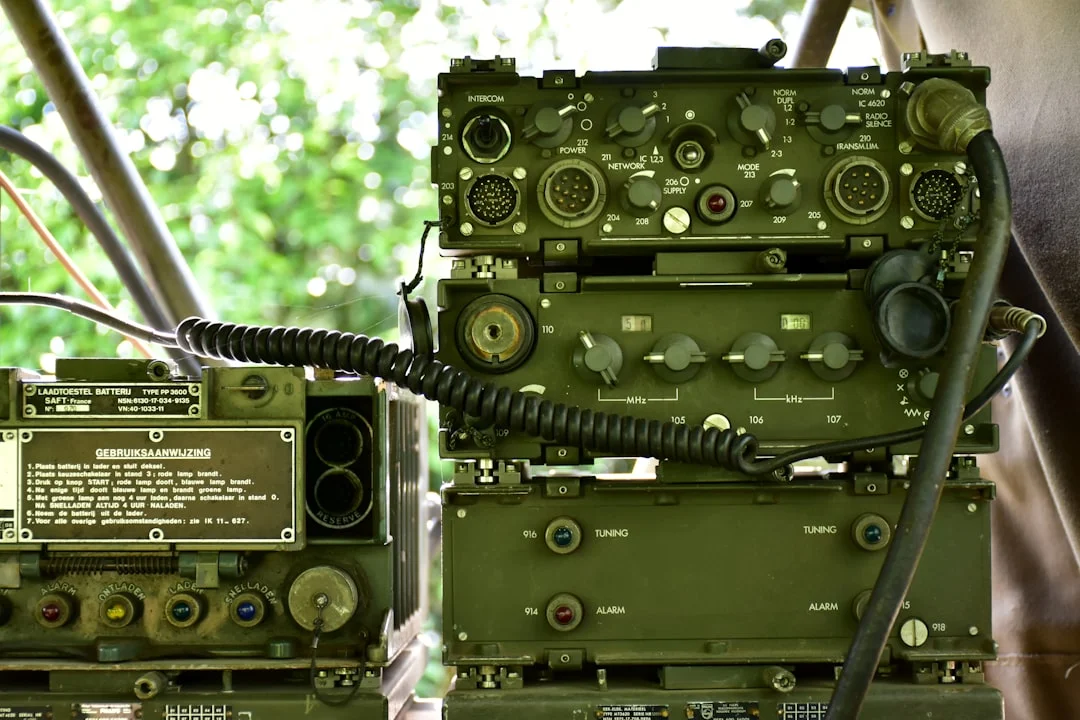
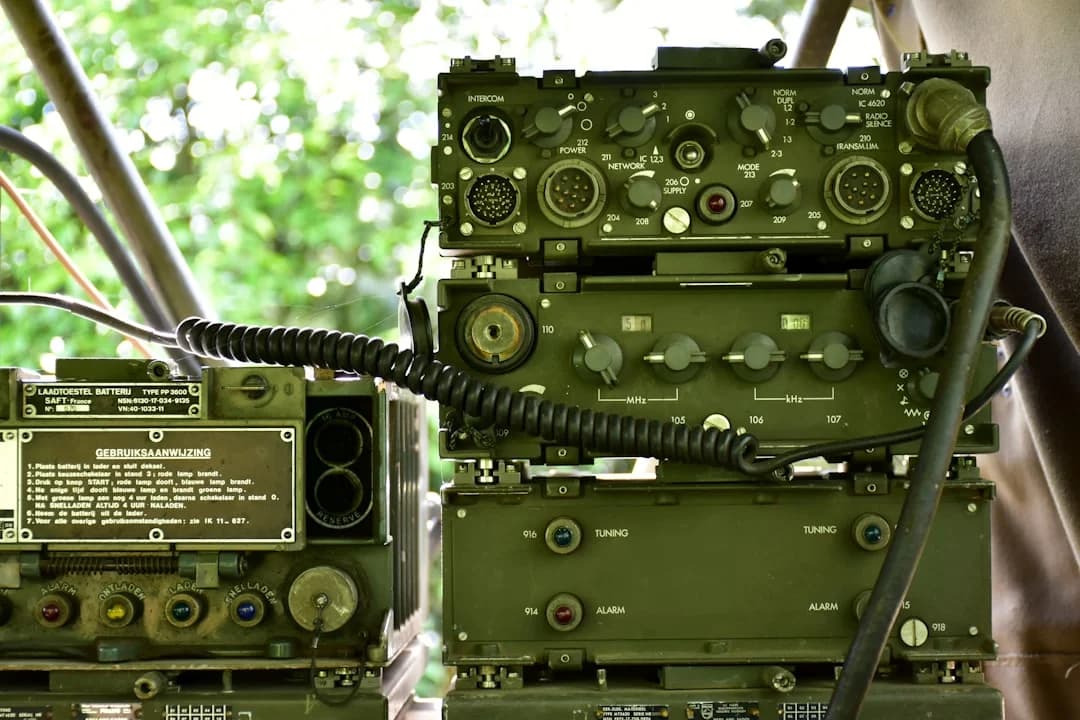
Photo by Ries Bosch on Unsplash
Keep this mental model: Channel 16 (156.800 MHz) is the front door, Channel 70 (156.525 MHz) is the silent digital back door for DSC, Channel 13 (156.650 MHz) is for close-quarters maneuvering with commercial traffic, and Channel 22A (157.100 MHz) is where the Coast Guard often finishes the conversation. Get those right, feed GPS to your radio, and put a script card where a shaky hand can read it.
VHF Marine Radio Channels: 16, 70, 13, 22A & Working Use
Channel roles: distress, calling, liaison, and maneuvering
The VHF maritime band runs 156.000–162.025 MHz, and the channels aren’t arbitrary. They’re standardized so a sailboat with an 8 ft (2.4 m) antenna can talk to a pilot boat, a ferry, and a USCG watchstander without negotiating frequencies like it’s 1993. In the U.S., you’ll also run into specific “working” channels for marinas and yacht clubs, but the core safety workflow still starts at the same place.
Channel 16 (156.800 MHz) is international distress/calling/guard, and it’s monitored widely—by vessels, shore stations, and along much of the U.S. coast by USCG Rescue 21. Best practice is simple: hail on 16, establish contact, then shift to a working channel to talk details. If you conduct a 4-minute weekend plan review on 16, you’re not just annoying—you're masking weak distress calls.
Channel 13 (156.650 MHz) is the U.S. bridge-to-bridge/navigational channel, and commercial vessels take it seriously in close quarters. If you’re threading a narrow channel with a ship doing 12 knots and constrained by draft, 13 is where passing arrangements get sorted quickly. Many big boats monitor both 16 and 13, but in my experience the crisp “intent” calls happen on 13.
Channel 22A (157.100 MHz) is a common USCG liaison channel in the U.S. The normal flow is call the Coast Guard on 16, get acknowledged, then get told, “Switch and answer 22A.” Don’t argue with that; the point is to keep 16 clear while the Coast Guard collects details.
Voice vs DSC traffic: what must never be said on Ch. 70
Channel 70 (156.525 MHz) is DSC-only—digital calling and distress under ITU-R M.493. No voice, no “radio check,” no chatting, no exceptions. Class D DSC radios maintain a continuous watch on 70 while you monitor voice channels, which is why DSC is worth having even on a recreational boat.
Rescue 21 monitors both Ch. 16 and Ch. 70 in many coastal areas, with typical coverage about 20 NM offshore for low antennas—terrain and antenna height can make that optimistic or conservative. The punchline is boring but true: DSC works best when the radio has a valid GPS position and time, and a surprising number of boats never finish that setup.
U.S. vs international labeling: the “A” channels and why it matters
The “A” in 22A matters because U.S. channelization doesn’t always match “international” channel plans. Some sets let you switch between U.S./INT/CAN channel groups, and the same channel number can map differently depending on the mode. If you cruise to Canada, Mexico, or the Bahamas, verify your radio is in the right channel group before you start confidently being wrong on the air.
Here’s the quick-reference table I wish more helms had taped near the mic:
| Channel | Frequency | Purpose | When to use | What not to do |
|---|---|---|---|---|
| 16 | 156.800 MHz | Distress/calling/guard | Initial hailing, MAYDAY/PAN-PAN/SÉCURITÉ voice, keep a watch | Long conversations, radio checks, routine chit-chat |
| 70 | 156.525 MHz | DSC digital calling/distress | DSC distress alert, DSC individual/group calls | Any voice transmission, tests that mimic distress |
| 13 | 156.650 MHz | Bridge-to-bridge/navigational (U.S.) | Close-quarters passing arrangements, traffic coordination | Gossip, marina talk, lengthy debates |
| 22A | 157.100 MHz | USCG liaison (U.S.) | After USCG answers on 16 and directs you | Calling USCG first on 22A unless locally instructed |
| Working (varies) | (varies) | Routine ops | After initial contact, marinas, clubs, race committees | Using high power in a crowded harbor |
Tip box (captain’s habit): In harbors and marinas, use 1 W low power unless you truly need 25 W. It reduces congestion, prevents stepping on distant traffic, and keeps your “routine” calls from traveling 20 miles to people who don’t care.
Photo by Aaron Lefler on Unsplash
MAYDAY Voice Procedure: Exact Script + Real Examples
When MAYDAY is legally/operationally justified
MAYDAY is for distress: grave and imminent danger to a vessel or person. Fire aboard, uncontrolled flooding, man overboard you can’t recover, or a grounding with surf breaking into the cockpit all qualify. The mistake I’ve seen is waiting until the situation becomes unrecoverable, then trying to sound calm while the boat is actively voting against you.
Under ITU-R M.541 radiotelephony procedure, the order of information isn’t etiquette—it’s triage. The goal is to make the first transmission actionable, even if your next transmission never happens. If you can say your name, position, and distress nature clearly once, you’ve done more than half the job.
Fill‑in‑the‑blank MAYDAY format (ITU radiotelephony order)
Speak slowly, keep the mic 2–3 inches from your mouth, and treat numbers like they cost money. Use this exact template:
“MAYDAY, MAYDAY, MAYDAY.
This is [VESSEL NAME] [VESSEL NAME] [VESSEL NAME].
MAYDAY [VESSEL NAME].
Position [DD°MM.M’ N/S, DDD°MM.M’ E/W] (or bearing/range).
Nature of distress [fire / flooding / man overboard / sinking / abandon ship].
Assistance required [immediate evacuation / pumps / tow / medical].
Persons on board [number].
Other information [description, PFDs, EPIRB/PLB activated, intentions].
Over.”
Position is best as lat/long in the format DD°MM.M’ (minutes with a decimal), because that’s what most chartplotters and SAR systems can ingest quickly. If you can’t get lat/long, give a bearing and range from a known point, a channel marker number, or a named waypoint you can identify on the chart.
Worked examples: fire, flooding, man overboard, abandon ship
Fire example: “MAYDAY… This is SAILING VESSEL WINDWARD… Position 27°54.2’ N, 082°35.6’ W. Fire in engine compartment, smoke in cabin. Require immediate assistance, preparing to abandon. Four persons on board, all in PFDs, EPIRB armed. Over.” Notice the useful bits: where, what, what you’re doing next, and how many souls to count.
Flooding example: “MAYDAY… This is MOTOR VESSEL BLUEFIN… Position 34°06.8’ N, 119°18.4’ W. Taking on water after collision, pumps cannot control. Require immediate assistance and dewatering. Two persons on board, in lifejackets, ditch bag ready. Over.” If you have a pump size, give it—“one 2000 GPH pump running”—because it tells responders how fast you’re losing.
Man overboard example: “MAYDAY… This is SAILING VESSEL KESTREL… Position 41°18.6’ N, 071°59.1’ W. Man overboard, lost visual in 2-meter seas, conducting search pattern. Require immediate assistance, one person in yellow PFD. Three persons remaining on board. Over.” For MOB, time-last-seen and drift estimate help; if you have AIS MOB or PLB, say so.
After the first call: acknowledgment, channel shifts, and repeats
If someone answers, it may sound like: “WINDWARD, this is COAST GUARD SECTOR [X]. ROGER MAYDAY. Switch and answer Channel 22A.” Your job is to read back the switch: “COAST GUARD, WINDWARD, switching to 22A.” Then go, and repeat your position and POB first on the new channel.
If there’s no reply, repeat the MAYDAY at intervals, use 25 W high power, and consider sending a DSC distress alert if you haven’t already. Offshore, it can also help to use a sea distance tool to calculate the distance between ports to estimate range to the nearest inlet, harbor, or tower, then include “approximately 18 NM southwest of [known point]” as a backup locator. Redundancy beats elegance every time.
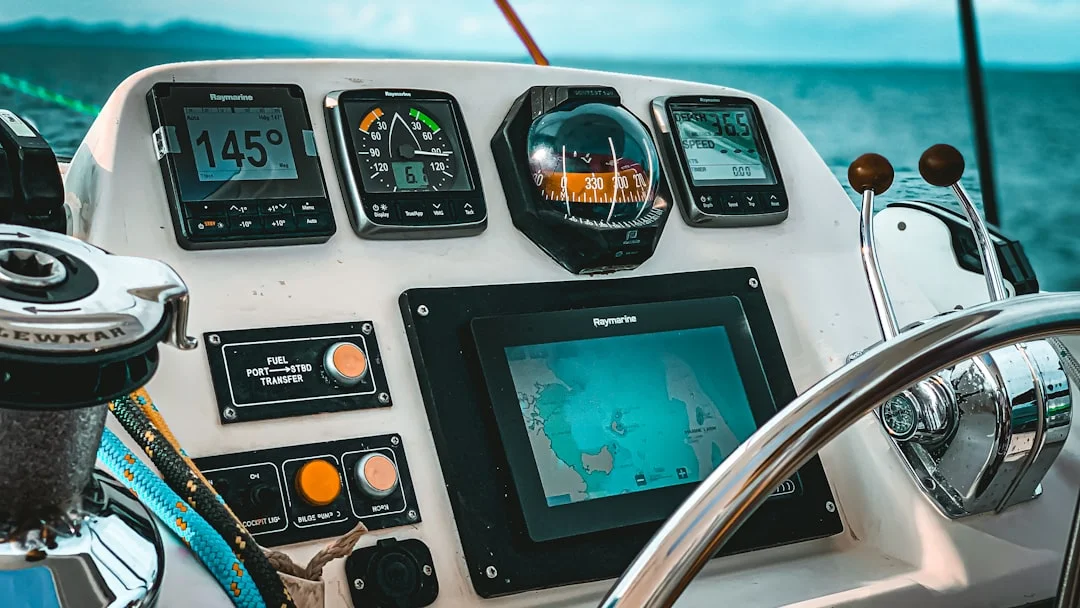
Photo by Moheb Iskander on Unsplash
PAN-PAN (Urgency): Medical, Disabled Vessel, Drifting Scripts
Choosing PAN-PAN vs MAYDAY (thresholds and escalation)
PAN-PAN is urgency: a safety concern that’s not yet life-threatening but could deteriorate. Think engine failure near a lee shore, steering problems with limited sea room, or a medical issue where the patient is stable but you need professional advice. The reason to use PAN-PAN early is that it buys attention and options without triggering full distress response.
The boundary is practical, not philosophical. If you’re drifting at 1.5 knots toward shoal water and you’ve got 2 NM of sea room left, that can become MAYDAY quickly. If the situation worsens—loss of sea room, person unconscious, uncontrolled flooding—upgrade immediately and say so plainly.
Fill‑in‑the‑blank PAN‑PAN call and the “urgency” information set
Per ITU-R M.541 ordering, this format is the standard:
“PAN-PAN, PAN-PAN, PAN-PAN.
All stations, all stations, all stations.
This is [VESSEL NAME], [CALL SIGN/MMSI if known].
Position [DD°MM.M’ N/S, DDD°MM.M’ E/W] (or bearing/range).
Nature of urgency [disabled / medical / steering failure].
Assistance/advice requested [tow / medical consult / traffic standby].
Other information [drift, sea room, intentions, POB].
Over.”
Don’t skip drift and intentions. “We are attempting to anchor in 20 feet” or “we are setting sail to clear the point” helps other vessels decide whether to assist, stand clear, or relay.
Scenario examples and how to update/close the call
Disabled near lee shore: “PAN-PAN… This is S/V ORION. Position 36°57.0’ N, 122°01.6’ W. Engine failure, unable to motor. Drifting 1.5 knots to the SE, 2 NM from shoal water. Request towing assistance or escort while we attempt to anchor. Four persons on board. Over.” That’s the kind of call that gets you help fast without drama.
Medical (stable): “PAN-PAN… This is M/V RIVERMIST. Position 25°46.3’ N, 080°07.9’ W. Medical urgency: suspected fracture, patient stable, requesting medical advice and rendezvous instructions. Two persons on board. Over.” If you’re advised to switch channels, confirm and move; keep 16 clear.
When resolved, close the loop: “All stations… PAN-PAN from ORION is canceled. Anchor is holding in 18 feet, no assistance required, standing by on 16.” Don’t cancel if the issue is merely “less bad”; if you’re still drifting, still injured, or still unsure, keep the urgency status and provide updates.
Photo by Yiran Ding on Unsplash
SÉCURITÉ Broadcasts: Fog, Hazards, Bars & Traffic Advisories
What qualifies as a safety message and why it matters
SÉCURITÉ is for safety information that affects other traffic: reduced visibility, floating debris, an unlit vessel, bar conditions, or a container doing its best impression of a reef. It’s not for reporting your neighbor’s loud generator, no matter how righteous you feel at 0200. Good safety broadcasts are short, location-specific, and repeatable.
The ITU-R M.541 structure exists because most listeners catch only half of what you say. If your call includes a clear location (lat/long, bearing/range, or buoy number), time observed, and recommended avoidance action, someone else can act without calling you back for a bedtime story.
Fill‑in‑the‑blank SÉCURITÉ call and concise hazard formatting
Use this basic pattern:
“SÉCURITÉ, SÉCURITÉ, SÉCURITÉ.
All stations, all stations, all stations.
This is [VESSEL NAME].
Safety message: [hazard], located [position], observed [time].
Recommended action: [slow to minimum wake / keep clear / favor channel].
Over.”
Often you’ll announce on 16, then—if local practice supports it—shift to a working channel for the detailed message. The key is not to clutter 16 with a long narrative when “fog bank at the entrance” can be said in 20 seconds.
Local working practices: bars, narrow channels, and regatta traffic
Fog example: “SÉCURITÉ… This is S/V KESTREL. Safety message: dense fog at harbor entrance near buoy RW ‘A’, visibility less than 200 meters, observed 1430 local. Vessels advised to proceed at safe speed, sound signals, and expect traffic. Over.” Mentioning sound signals and safe speed is practical; nobody needs a lecture on the COLREGS while they’re already squinting.
Bar crossing example: “SÉCURITÉ… This is M/V SANDPIPER. Safety message: heavy breakers across [Inlet] bar, set to the north, observed at 0815. Recommend delaying crossing or monitoring Channel [local working] for updates.” If you’re crossing yourself, add your intended track and speed so others can anticipate you.
For route planning, plan your route using a sea distance calculator can help you state a useful alternative position like “approximately 6 NM west of [sea buoy]” when you’re broadcasting a debris field offshore. It’s not a substitute for lat/long, but it’s a good backup when stress makes small numbers slippery.
Photo by ANA CASTILLO on Unsplash
DSC on VHF: MMSI, Ch. 70, Distress Button & Aftermath
What DSC actually sends (and what it doesn’t)
DSC is Digital Selective Calling under the GMDSS framework, implemented on VHF Channel 70 at 156.525 MHz per ITU-R M.493. A DSC distress alert transmits your MMSI, your position, and time—but only if the radio is receiving valid GPS data via NMEA 0183 or NMEA 2000. DSC does not magically describe your emergency; that’s why the immediate voice follow-up on Channel 16 is still required.
Most recreational fixed VHFs are DSC Class D, meaning they can keep a continuous watch on 70 while you’re listening on 16 or a working channel. That’s a real safety upgrade over a voice-only set, even if you never make a single routine DSC call. The Coast Guard’s Rescue 21 network monitors both 16 and 70 in many areas, which improves the odds your alert is heard even if your voice is weak.
MMSI basics: domestic-only vs FCC-issued for international use
Your MMSI is your radio’s identity key, and it needs to be correct and registered. In the U.S., BoatUS/USPS MMSIs are typically free and fine for domestic-only boating, but they’re not intended for international use. If you’ll cross borders, you generally want an FCC-issued MMSI associated with a ship station license (FCC rules live in 47 CFR Part 80).
Cost-wise, the gear is the cheap part: a fixed DSC VHF is commonly $150–$350, and a fixed VHF with integrated AIS receiver features runs $250–$600. The FCC ship station license plus FCC-issued MMSI is often $200–$250 depending on current fees, which is still cheaper than one unneeded SAR response. If you charter or run passengers for hire, also pay attention to carriage requirements and operating rules under the FCC and USCG frameworks, because “I didn’t know” is not a waiver.
Distress alert workflow: press-and-hold, follow-up voice, channel shift
On most sets (Icom, Standard Horizon, Garmin VHF lines), the DSC distress button is protected by a cover and requires a press-and-hold of about 3–5 seconds. Some radios let you select a distress category (fire, flooding, collision) before sending; others send a general distress by default. Either is acceptable—getting the alert out is the priority.
Immediately after sending, make the voice MAYDAY on Channel 16 (156.800 MHz) with your position, nature of distress, POB, and intentions. Expect the Coast Guard or another station to acknowledge and possibly direct you to 22A for extended communications. If you’re offshore and can’t raise anyone, repeat voice calls and verify the radio is actually transmitting at 25 W, not stuck on low power.
The most common DSC failure I troubleshoot is “no GPS feed,” which leads to missing or stale coordinates. Many radios allow manual position entry, but it can expire after roughly 4 hours depending on the manufacturer, which is a nasty surprise during an actual emergency. Before every departure, confirm the radio displays valid position and time, not dashes or a blinking “NO GPS.”
Photo by Aung Myat on Unsplash
VHF Installation & Performance: Antenna, Coax, Power, Range
Antenna height and gain: what changes range vs what doesn’t
A 25 W VHF is not a long-range radio; it’s a line-of-sight system that behaves like the horizon. Height is king, which is why a masthead antenna on a sailboat often outperforms a powerboat’s lower mount even with the same transmitter. The rule of thumb for radio horizon is: Range (NM) ≈ 1.23 × (√h1 + √h2), with antenna heights in feet.
Here’s a real example: a 9 ft boat antenna to a 100 ft shore antenna gives 1.23 × (3 + 10) ≈ 16.0 NM. That aligns with the “about 20 NM offshore” Rescue 21 coverage note for low antennas, depending on terrain and tower height. Ducting can extend it, but planning on miracles is a good way to become the case study.
A typical recreational antenna is an 8 ft (2.4 m) fiberglass whip with about 6 dB gain. Gain doesn’t create power; it shapes the radiation pattern, flattening it so more energy goes toward the horizon rather than the clouds. A handheld’s 6–8 inch (15–20 cm) rubber duck has low effective gain and gets shadowed by your body, which is why stepping onto the cabin top can improve reception more than swearing at it.
Coax and connectors: loss, water ingress, and real-world failure points
Coax is where good radios go to die quietly. Use 50-ohm marine coax (RG-58 class at minimum, or lower-loss types like LMR-240 class for longer runs), and keep runs as short and dry as practical. Water in coax equals huge loss—often presenting as “it receives fine but nobody hears me,” which is the cruelest failure mode.
Connector work matters more than brand stickers. A poorly installed PL-259, no strain relief, and no drip loop is an invitation for corrosion and intermittent SWR issues. Inspect the antenna base and connector annually, and anytime you see green corrosion, cracked insulation, or a coax jacket that feels stiff and crunchy like it’s been sunbaked since the Clinton administration.
Costs are manageable: an 8 ft antenna runs $60–$200, a stainless ratchet mount $30–$120, and 50 ft of coax $40–$120 plus $10–$40 for connectors and weatherproofing. Professional install labor for radio, antenna, and basic wiring is commonly $250–$900, and it’s money well spent if you’re not confident crimping and sealing in a salt environment.
Power and wiring reliability: ABYC E-11 basics for fixed VHFs
A fixed VHF draws several amps on transmit, and voltage drop shows up as weak or distorted audio at exactly the wrong moment. ABYC E-11 is the reference for sane boat wiring: dedicated fused feed, correct conductor sizing, and clean connections at the battery or distribution bus. I like a dedicated breaker or fuse close to the source, and I avoid “mystery” shared circuits with refrigerators, inverters, or noisy LED drivers.
Route VHF power and coax away from high-current DC cabling and certain AIS/plotter bundles where practical. Bad cable routing can inject noise that sounds like hash or whining on receive, especially when you key up other systems. If your audio gets worse when you turn on a charging source, you’ve found a wiring problem—not a Coast Guard conspiracy.
Operating Pro-Style: Call Structure, Readbacks, and Mistakes
Standard call anatomy: who-you-are, who-you-want, where-you-are, what-you-need
A good call is short and structured: who you’re calling, who you are, where you are, and what you need. On 16, you’re just establishing contact and urgency, not reciting your boat’s maintenance log. Keep transmissions under about 20–30 seconds when possible, because someone else may be trying to break in with real trouble.
Use standard phonetics for anything that can be misheard—boat names, waypoint names, and critical numbers. Speak digits individually for lat/long: “two seven degrees five four decimal two minutes north.” If you’re not used to it, write your position down first; reading beats improvising when adrenaline arrives.
Readbacks, channel shifts, and keeping 16/70 clear
If directed to change channels, read back the channel number and then actually go there. “Switch and answer two-two alpha” should be met with “switching two-two alpha,” not silence and hope. Keep a watch on 16 as able, and know your radio’s dual-watch/tri-watch behavior; some sets scan, some truly monitor, and some do a bit of both with delays.
In tight quarters with commercial traffic, you may need Channel 13 while still maintaining 16/70 awareness. A practical approach is to use dual watch (13/16) temporarily while the maneuver is ongoing, then revert to 16 plus your working channel afterward. Remember: DSC watch on 70 is automatic on Class D sets, but your attention is not.
Common errors that delay assistance—and how to prevent them
Most “bad radio” incidents are operator errors, and they’re fixable without buying anything. Here’s the blunt version:
| Mistake | Consequence | Fix |
|---|---|---|
| No GPS feed to DSC | DSC alert has no valid position/time | Connect NMEA 0183 (4,800 bps) or NMEA 2000, then verify lat/long and UTC display |
| Talking on Channel 70 | Blocks DSC traffic; illegal and dangerous | Never use voice on 70; use 16 for voice calling/distress |
| Long conversation on 16 | Masks distress calls, irritates everyone | Make contact on 16, move to a working channel |
| Mic too far / shouting | Distorted audio, unreadable message | Hold mic 2–3 inches away, speak slowly and clearly |
| Not stating position early | Rescuers waste time interrogating | Put position in the first 10 seconds, repeat it |
| Forgetting low power in harbor | Congestion and stepped-on calls | Use 1 W in marinas; go 25 W offshore or when needed |
| Accidental DSC distress | Unnecessary SAR launch | Know cancellation procedure; protect the distress cover |
One more: if your AIS or other electronics create noise on receive, suspect installation and grounding/cable routing issues before you blame atmospheric conditions. I’ve traced more “range problems” to a corroded PL-259 than to any fancy RF explanation. Radio is simple; boats are not.
Quick Reference: Pre-Departure Checks, Route Notes, and Script Card
5-minute radio readiness checklist (fixed + handheld)
Before leaving the dock, I want five minutes of radio sanity, not an hour of theoretical knowledge. Confirm the fixed VHF shows your MMSI correctly, and that it displays a valid lat/long and time (meaning GPS/NMEA is actually feeding it). Set volume and squelch so a weak call will break through, and check you’re not stuck on 1 W when you expect 25 W.
For the handheld, confirm it’s charged and, if it’s a DSC/GPS handheld, that it has a position fix. Basic floating handhelds are typically $80–$150, while DSC/GPS handhelds often run $150–$350—and they make a solid backup if you abandon to a life raft. Put the handheld somewhere you can reach from the cockpit, not buried under six fenders and your better intentions.
DSC testing should be done with the radio’s built-in DSC test call function where available, or by making a routine DSC call to a buddy MMSI and confirming receipt. Do not “test” by doing anything that looks like distress; false alerts waste SAR resources and can carry penalties. If you’ve never tested it, today is the day to stop guessing.
Route planning tie-in: position formats, waypoints, and distance-to-help
Under stress, position reporting falls apart unless you’ve pre-loaded your brain with easy references. Write down your departure point, key waypoints, and the nearest safe harbor names along the route. If you lose electronics, being able to say “3 NM east of Red Nun 6” beats “somewhere out here.”
For offshore legs, I like to know distance-to-help in plain language: nearest inlet, nearest sea buoy, nearest Coast Guard station coverage, and nearest friend with a towline. Check the nautical miles for your planned route before departure so you can say “approximately 18 NM from [inlet]” if lat/long is unavailable or your GPS goes blank. It also helps you estimate drift time to danger when you’re making a PAN-PAN call.
If you’re integrating NMEA, understand what you have: NMEA 0183 is often 4,800 bps and point-to-point wiring, while NMEA 2000 is a powered 12 V backbone with T-connectors and drop cables. The practical test is simple: the VHF must display live position and UTC, not “— — —” fields. If the radio can’t see GPS, DSC is just an expensive noisemaker.
Print-ready script card: MAYDAY/PAN-PAN/SÉCURITÉ templates
Print this, laminate it, and clip it near the mic. Your future self will be busy.
Vessel: ________ Call sign: ________ MMSI: ________
POB: ________ Description: ________ EPIRB/PLB: Yes / No
MAYDAY
“MAYDAY x3. This is ____ x3. MAYDAY ____. Position ____. Distress ____. Need ____. POB ____. Other: _____. Over.”
PAN-PAN
“PAN-PAN x3. All stations x3. This is ____. Position ____. Urgency ____. Request ____. Drift/intentions ____. POB ____. Over.”
SÉCURITÉ
“SÉCURITÉ x3. All stations x3. This is ____. Safety message: hazard ____ at position ____, time ____. Recommend ____. Over.”
Frequently Asked Questions
On a DSC Class D VHF, how can I verify it is actually receiving GPS position/time via NMEA 0183 (4,800 bps) vs NMEA 2000, and what screen fields confirm a valid fix?
On the VHF display, you want to see live latitude/longitude and UTC time (or a clear “GPS” status icon) with no dashes or “NO GPS” warning. Many radios show the position on a DSC or GPS info page, and some show it on the main screen when you enable “position display.” If it updates as you move and the time is correct, the radio is receiving valid data regardless of whether it arrived via NMEA 0183 (4,800 bps typical) or NMEA 2000.
To differentiate interfaces, check the wiring: NMEA 0183 is usually two signal wires (talker/listener pairs), while NMEA 2000 uses a backbone with T-connectors and a powered 12 V network. The practical confirmation is the same: the VHF must show position/time continuously, including after you cycle power to the GPS and the radio.
If I pressed the DSC distress button by mistake, what is the correct cancellation procedure on voice (Channel 16) and what details should be included to prevent an unnecessary SAR response?
First, stop digging. Make an immediate voice call on Channel 16 (156.800 MHz) stating it was an accidental activation, and include your vessel name and position so the Coast Guard can match it to the alert. Use a clear format like: “All stations, all stations, all stations. This is [vessel name], MMSI [number]. Cancel my DSC distress alert transmitted in error. My position is [lat/long]. No assistance required. Over.”
Then stand by on 16 and be prepared to answer the Coast Guard if they call you back for verification. Do not assume that one transmission “fixes it,” because the whole point of DSC is that it gets attention fast. If you’re unsure, call the local Coast Guard sector on 16 and follow their instructions, often shifting to 22A.
What is the practical difference between a BoatUS/USPS domestic-only MMSI and an FCC-issued MMSI tied to a ship station license when you cross borders (e.g., Bahamas/Mexico/Canada)?
A BoatUS/USPS MMSI is generally intended for domestic U.S. use, and it’s not the right identity framework for international cruising. When you cross borders, you may need an FCC ship station license and an FCC-issued MMSI that’s recognized and properly associated with your vessel’s licensing and documentation under 47 CFR Part 80. Practically, it reduces friction with foreign authorities and keeps your identity consistent in international SAR systems.
If you plan to cruise internationally, sort this out before you leave, because some radios allow MMSI entry only once without factory reset. The cost of the FCC license/MMSI is commonly in the $200–$250 range, which is cheaper than administrative headaches in a foreign port.
How do antenna height, gain (e.g., 8 ft ~6 dB), and coax losses combine to affect received signal level, and when does upgrading coax outperform upgrading transmit power?
Height increases line-of-sight range, which is why moving an antenna from a stern rail to a masthead can be worth more than any power change. Gain (an 8 ft ~6 dB antenna) shapes the pattern toward the horizon, improving practical range to similarly situated stations, but it won’t overcome a rotten feedline. Coax losses reduce both transmit and receive performance; water ingress can turn a good antenna into a dummy load.
Upgrading coax often beats “more power” because fixed VHFs are already typically 25 W on high, and power is not the limiter in line-of-sight VHF. If your coax run is long, old, or has suspect connectors, replacing it with a lower-loss 50-ohm marine coax and properly installed connectors can restore several dB of system performance. In plain terms: fix the pipe before you buy a bigger pump.
When coordinating close-quarters maneuvering with a commercial vessel on Channel 13, what minimum information should be exchanged (position, course, speed, passing side), and how do you maintain a 16/70 watch concurrently?
On Channel 13 (156.650 MHz), keep it tight: identify the other vessel, identify yourself, state your position, your course and speed, and the proposed passing arrangement (for example, “request port-to-port” where appropriate locally). If there’s any ambiguity, restate it and get a clear acknowledgment; readbacks prevent expensive misunderstandings.
To maintain a 16/70 watch, use your radio’s dual-watch/tri-watch feature (commonly 13/16), then return to your normal monitoring setup once clear. DSC watch on Channel 70 (156.525 MHz) is maintained automatically on Class D sets, but don’t let scanning delays distract you—if traffic is heavy, assign one crewmember to handle the radio while the helmsman drives.
If you only remember three things: guard 16, never speak on 70, and use 13 for close-quarters intent. Pair that with a working DSC setup—MMSI programmed, GPS position displayed, and a tested script card—and your radio becomes what it’s meant to be: the fastest path to help when you’re having a very bad day. For trip prep, running Breezada’s sea distance calculator before departure also gives you quick “range-to-help” numbers you can state cleanly when your brain is busy doing other math.
About the Author
Related Articles
Best Radar Reflector for Sailboat: Active vs Passive
Compare active vs passive radar reflectors for sailboats, mounting tips, and real-world results. Choose the best radar reflector—read now.
By Breezada Team
Sail Trim for Beginners: Main + Jib Cruising Guide
Learn sail trim for beginners with simple main + jib settings, telltales, twist, traveler & vang. Get quick wind-based trims—read now.
By Breezada Team
Sailboat Bimini Guide: Dodger & Enclosure Choices
Learn how to choose a sailboat bimini, dodger & cockpit enclosure—materials, fit, costs, and DIY vs pro. Get the right setup today.
By Breezada Team
Code Zero vs Genoa: Jib & Spinnaker Guide
Compare Code Zero vs genoa, jib, and spinnaker by wind range and angle. Choose the right headsail for your boat—read the guide now.
By Breezada Team